
Workflow quick launch
Save a working workflow as a launch method and avoid loading every accumulated node on each start.
Take a workflow from any source. Run it through to a finished result.
Import the workflow, complete missing nodes, locate its models, and let the guided end-to-end run handle the remaining blockers.
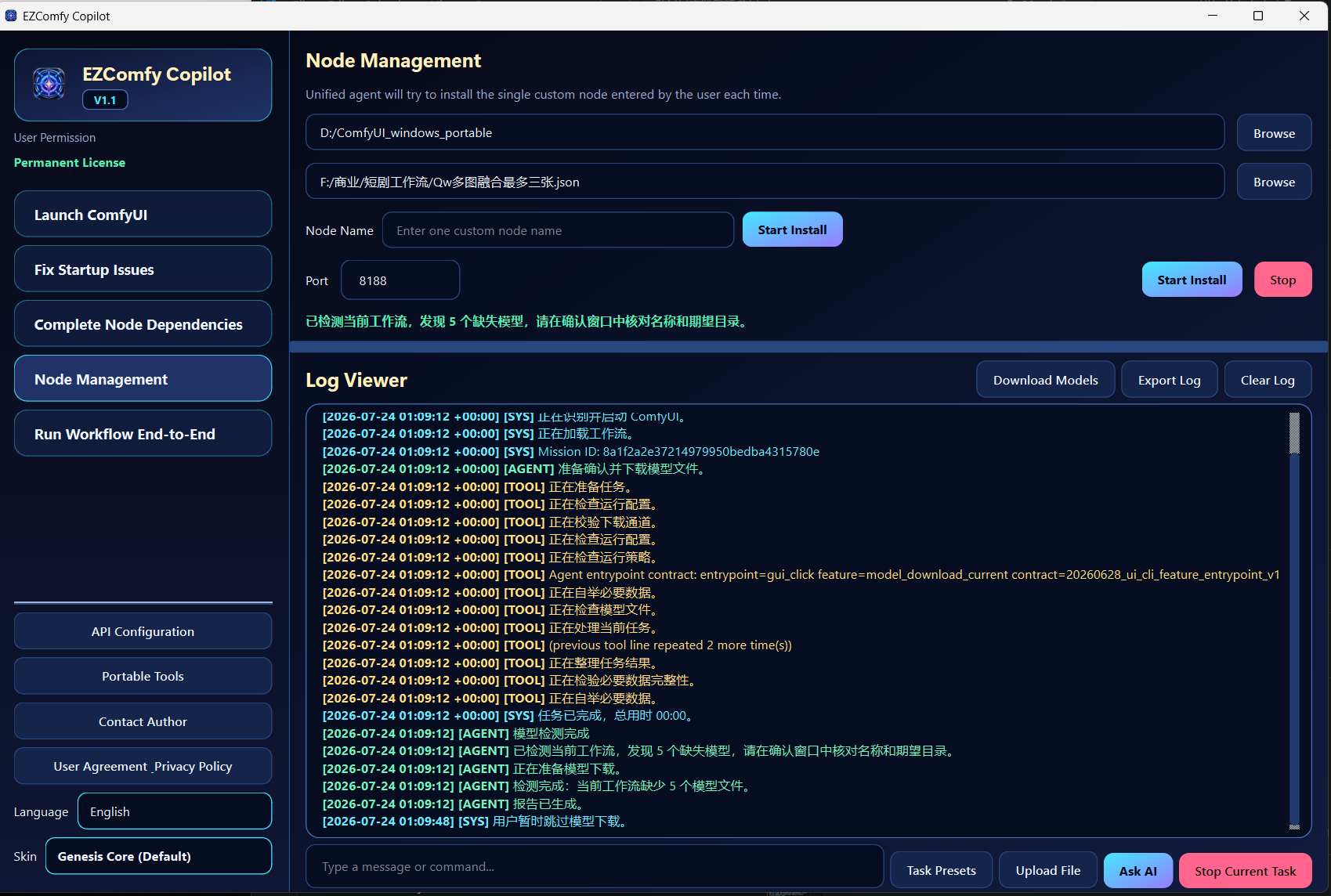
Install the bulk first, handle the exact missing files next, then use the end-to-end run for what remains.
Launch ComfyUI and load the workflow in the browser.
Install most missing nodes and packages in one pass.
Download what is available and place failures in the shown folders.
Let the guided run work through the remaining blockers.
These screens are taken from the operating guide. Choose a feature to see exactly where it fits.
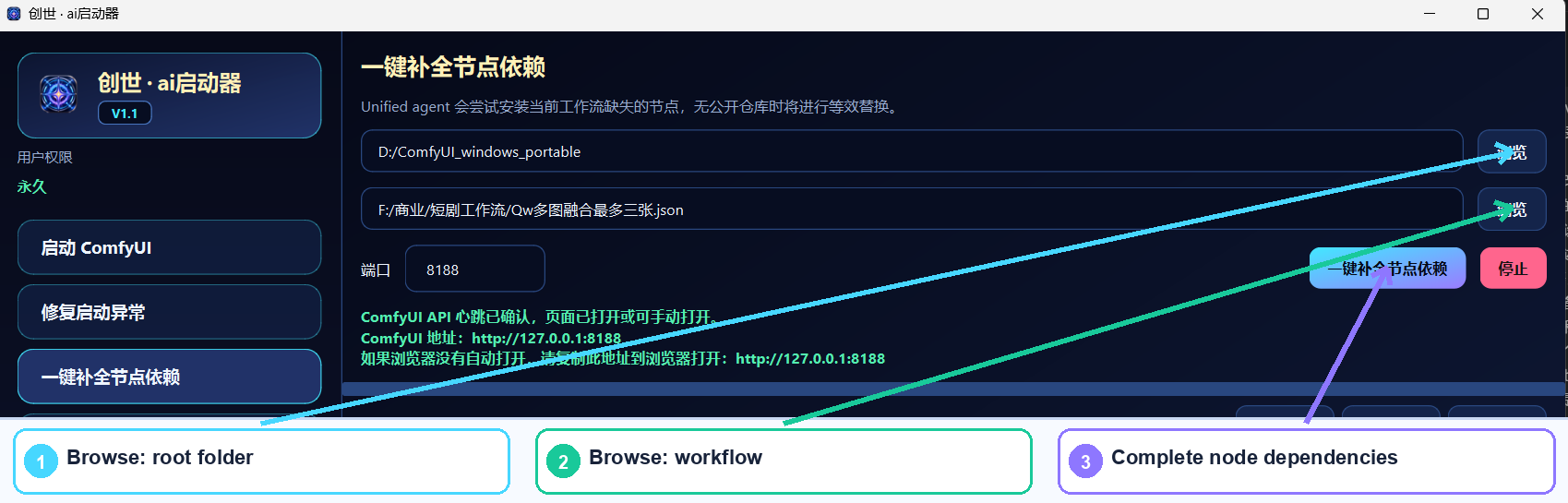
Best first step when a newly imported workflow reports many missing nodes or node packs.
Save a working workflow as a launch method and avoid loading every accumulated node on each start.
Switch the saved workflow and the launcher moves the next session to a new port for parallel use.
When only one node or node pack is missing, enter its original name and install it directly.
Use the dedicated repair when ComfyUI itself cannot start; workflow errors follow the dependency path above.
Use it with an existing ComfyUI installation. Select the outermost root folder, then follow the workflow path above.
Download for Windows Windows 10/11 · 64-bit · About 97.3 MBSelect the outermost ComfyUI package folder, not the internal ComfyUI subfolder.
Keep the model download window open until every automatic or manual download is complete.
Run end-to-end after most nodes and models are already installed for better efficiency.